
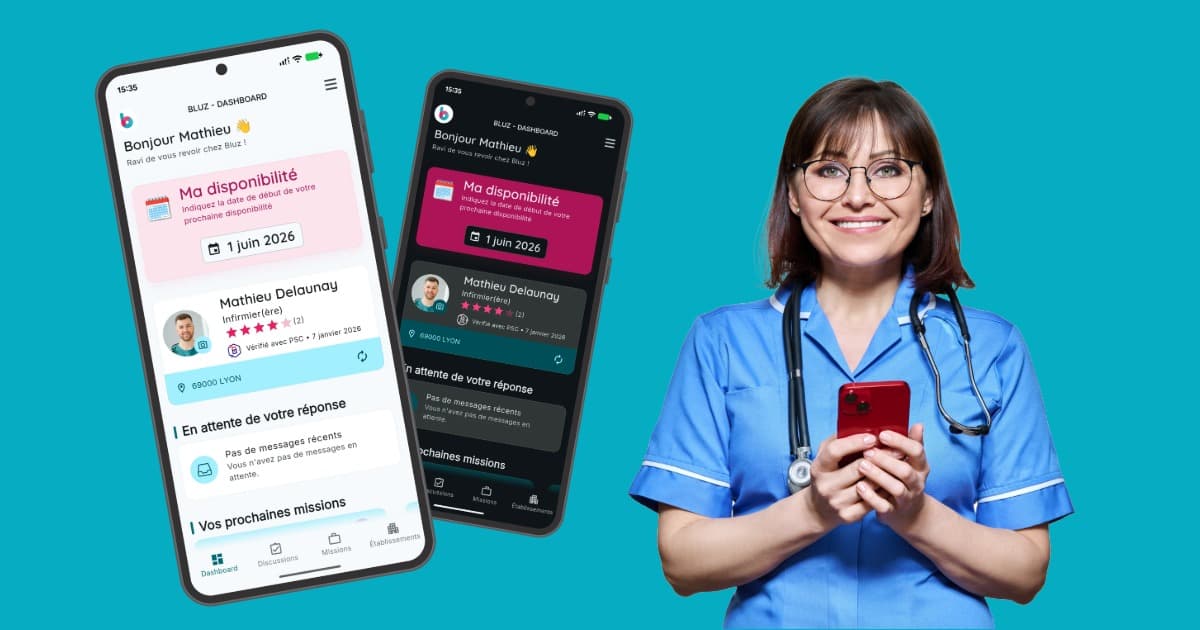
The Bluz mobile app has just received one of its most significant updates since launch - now available on the App Store and Google Play. The new version introduces full dark and light theme support, a ground-up interface redesign built to the Material Design 3 specification, and a set of practical improvements that make daily life considerably easier for healthcare professionals working temporary placements across France.
With close to 50,000 downloads, Bluz has quietly established itself as one of the most practical tools available to soignants - nurses, healthcare assistants, doctors and porters - who need to find and manage shifts quickly, without the friction of paper-based processes or phone calls.
A sector stretched to its limits
Anyone working in or around French healthcare will know the staffing picture well. Absence rates in hospital settings regularly sit between 8 and 10% - more than double the national average across all sectors. When winter flu season arrives, or a summer heatwave pushes emergency admissions upward, those numbers climb further still.
For a medium-sized clinic or hospital, this translates to managing hundreds of temporary replacement shifts every single month: at short notice, across multiple wards, with all the contractual and regulatory requirements that entails. Without the right infrastructure, the administrative overhead alone can consume hours of management time each day.
Bluz was built to absorb that complexity - for the establishments posting shifts and for the professionals filling them.
Dark mode, light mode, and why it genuinely matters
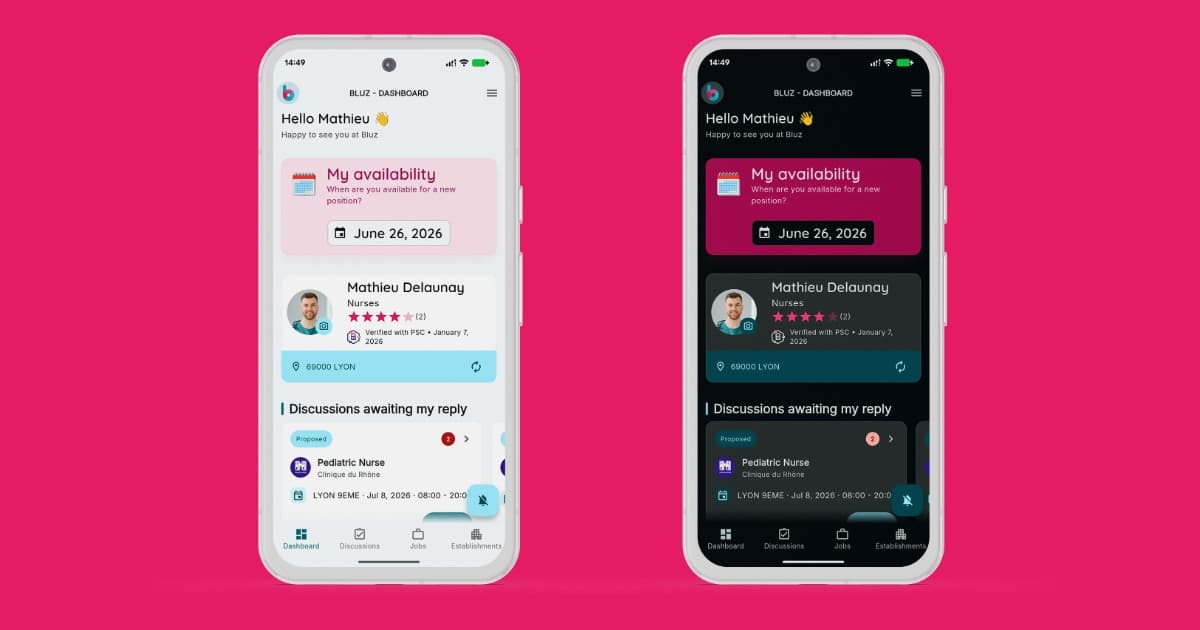
It would be easy to dismiss theme support as a cosmetic feature. In the context of healthcare work, it is anything but. Consider the reality: a nurse picking up a last-minute shift consults the app before a 6am start in a dimly lit changing room. A healthcare assistant checks their schedule at the end of a twelve-hour night shift. Glare and excessive screen brightness in low-light environments cause measurable eye strain - and for professionals who are already physically and cognitively taxed, every small friction point matters.
Dark mode reduces that strain significantly in the environments where health workers spend much of their time: hospital corridors with overhead strip lighting, basement break rooms, wards where the lights are kept low for patient comfort. Light mode, meanwhile, remains the better choice during daytime use in well-lit spaces.
Bluz reads the device's system preference automatically and responds accordingly, with no manual configuration required. Users who prefer to override that behaviour can do so directly from within the app settings.
A full interface redesign: Material Design 3
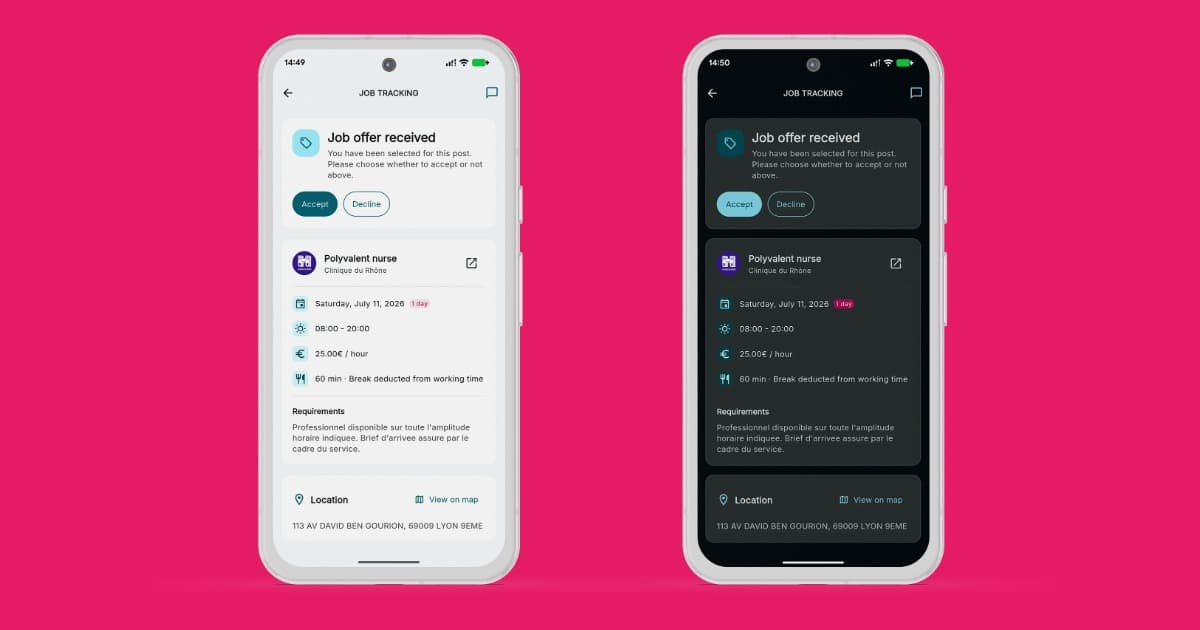
The visual overhaul goes considerably further than a coat of paint. The entire interface has been rebuilt to the Material Design 3 specification - Google's most recent iteration of its design language, which introduces refined component behaviour, improved accessibility defaults, and a more expressive approach to colour and typography.
For Bluz users, the practical effect is an interface that is easier to read, easier to navigate, and more consistent across the application. The screens that see the highest daily traffic - job listings, application flow, contract signing - have been restructured to reduce the number of steps and surface the most relevant information more clearly.
Flutter, Material You, and the architecture that makes it work
Built entirely in Flutter, Bluz is well placed to take full advantage of what Material Design 3 offers. Flutter's widget library is designed from the ground up around Material principles - every component adheres to the same underlying rules around spacing, elevation, motion and state management. Upgrading to Material Design 3 in a Flutter application is therefore a coherent, system-wide change rather than a series of isolated patches.
The Flutter theme system is also worth understanding in its own right. Dark and light mode switching happens at runtime, with no application restart: the active ThemeData propagates through the entire widget tree instantaneously, recalculating colours, surfaces, shadows and contrast ratios in a single pass. It is one of the genuinely elegant aspects of Flutter's architecture - and one that Bluz now exposes fully to its users.
Features built for how health workers actually work
Pro Santé Connect integration
Bluz connects to Pro Santé Connect, the French Ministry of Health's official digital identity service. Health professionals verify their qualifications and professional status once - directly within the app - and that verification is then recognised automatically by every establishment on the platform. No documents by email, no follow-up calls, no waiting. The process that once took days now takes minutes.
One-tap application
The core of the Bluz experience for health workers is the ability to find a relevant shift and apply for it in as few steps as possible. The app surfaces nearby opportunities in real time, presents the essential details - ward, role, hours, pay rate - and allows the user to apply with a single tap. Contracts are generated automatically from that point and dispatched for electronic signature via YouSign, with no printing, scanning or physical presence required.
Real-time chat
Integrated messaging allows health workers and establishments to communicate directly inside the app. Availability confirmations, shift clarifications, last-minute queries - all handled in real time, with a full message history accessible from both sides.
Centralised contract management
Every contract, past and present, lives in one place. Mission history, signed documents, payment tracking and shift records are all accessible from the dashboard at any time, on any device.
For health workers
Bluz is free to download on the App Store and Google Play. Creating a profile, completing Pro Santé Connect verification and browsing available shifts typically takes under ten minutes - after which the platform handles the rest.
Download on the App Store · Download on Google Play
For healthcare establishments
Establishments access Bluz through a dedicated web platform at bluz.fr. Posting a staffing need, reviewing available candidates, issuing a contract and completing the URSSAF pre-employment declaration can all be done without leaving the platform. The AI-assisted job posting tool - which generates complete, correctly formatted postings from a single plain-language sentence - is available to all establishment accounts.
Whether your facility manages a handful of replacements each month or several hundred, the platform scales accordingly.